
PDFExtract – Fast Forensic Insight for PDF Files
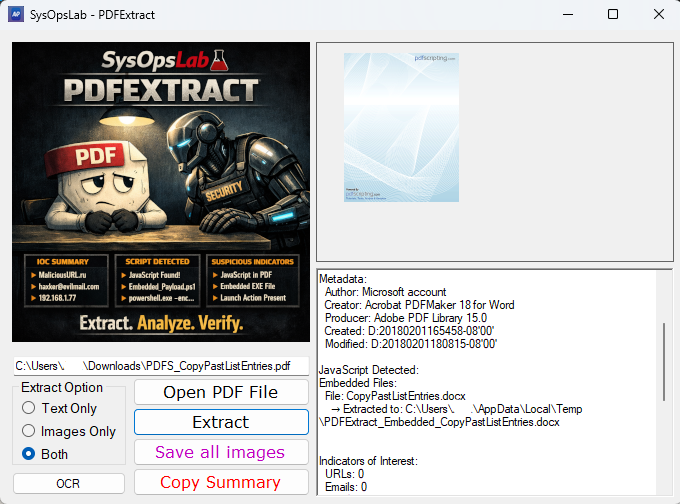
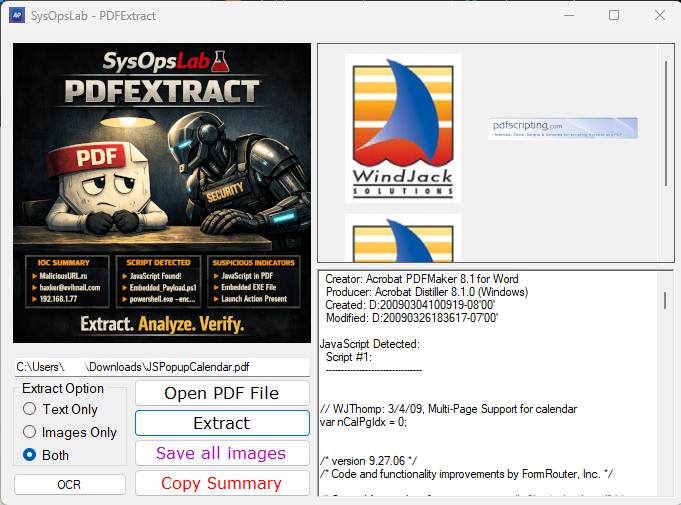
PDFExtract is built to give analysts a transparent view of what a PDF actually contains. Instead of rendering the file or executing anything inside it, the tool reads the raw PDF structure and extracts the components that matter for Digital Forensics and Incident Response (DFIR) and security work.
What PDFExtract Pulls Out
The tool extracts text, images, metadata, embedded files, JavaScript, launch actions, and page‑level content. It also collects URLs, email addresses, IP addresses, hashes, and Base64‑encoded data, grouping them into an IOC section for quick review. These indicators help analysts spot external communication attempts, encoded payloads, or suspicious references without digging through raw streams.
Structural Checks That Reveal Hidden Behavior
PDFExtract performs several lightweight structural inspections:
- Incremental updates – detected by multiple EOF markers, often used to hide appended content.
- Annotation‑based actions – link actions, file attachments, and JavaScript‑enabled widgets that may trigger behavior outside normal viewing.
- JavaScript stream analysis – entropy and filter information help identify obfuscation or encoded payloads.
These checks surface behavior that typical PDF readers hide.
Embedded Files and Encoded Content
Embedded files are extracted as‑is and identified using magic‑byte detection, allowing the tool to correctly classify executables, archives, nested PDFs, and script files even when extensions are misleading.
Base64‑encoded content is highlighted because it frequently contains hidden JavaScript, PowerShell, shellcode, or binary payloads. PDFExtract doesn’t decode or interpret it. It simply exposes it so the analyst can decide what to do next.
Suspicious Indicators
A dedicated section highlights findings that may require closer inspection:
- Embedded JavaScript
- Launch actions
- Encoded or high‑entropy content
- Structural anomalies
- Unusual IOC concentrations
The tool doesn’t score or label documents. It presents the evidence plainly so the analyst can apply their own judgment.
Utility Features for Analyst Workflows
Alongside forensic extraction, PDFExtract includes several practical features:
- Page extraction – export single pages or page ranges as a new PDF file.
- Dual‑PDF extraction – pull pages from two PDFs and combine them.
- Page rotation – correct orientation issues in scanned documents.
- PDF‑to‑Word conversion – generate an editable version of the document for review or reporting.
These features don’t modify the original PDF and are designed to reduce the need for external tools during analysis.
Designed for DFIR and Security Work
All results appear in a single summary panel that can be copied immediately. PDFExtract doesn’t interpret or classify anything. It simply exposes what the PDF contains and how it behaves. For DFIR, threat hunting, and security engineering, this turns PDFs and image‑based documents into clear, inspectable artifacts.
Note: PDFExtract includes an OCR module for scanned or image‑based documents. It uses the open‑source Tesseract engine to recover text, but accuracy depends heavily on image quality. Clear, high‑contrast text is usually recognized, while blurry, low‑resolution, noisy, or stylized content may produce incomplete or inaccurate results.
PDFExtract also uses SautinSoft components (trial mode) for certain document‑processing operations such as PDF‑to‑Word conversion.
Credit: Tesseract OCR project and its contributors — https://github.com/tesseract-ocr/tesseract
Download PDFExtract here