
No Installation Required
All tools listed below are fully portable. No setup, no installers, no system changes.
Simply extract the ZIP file and run the executable (.exe) to start using the application immediately.
The tools are malware‑free, but feel free to scan them with any anti‑malware program if you want to double‑check.
SecOpsNet Suite
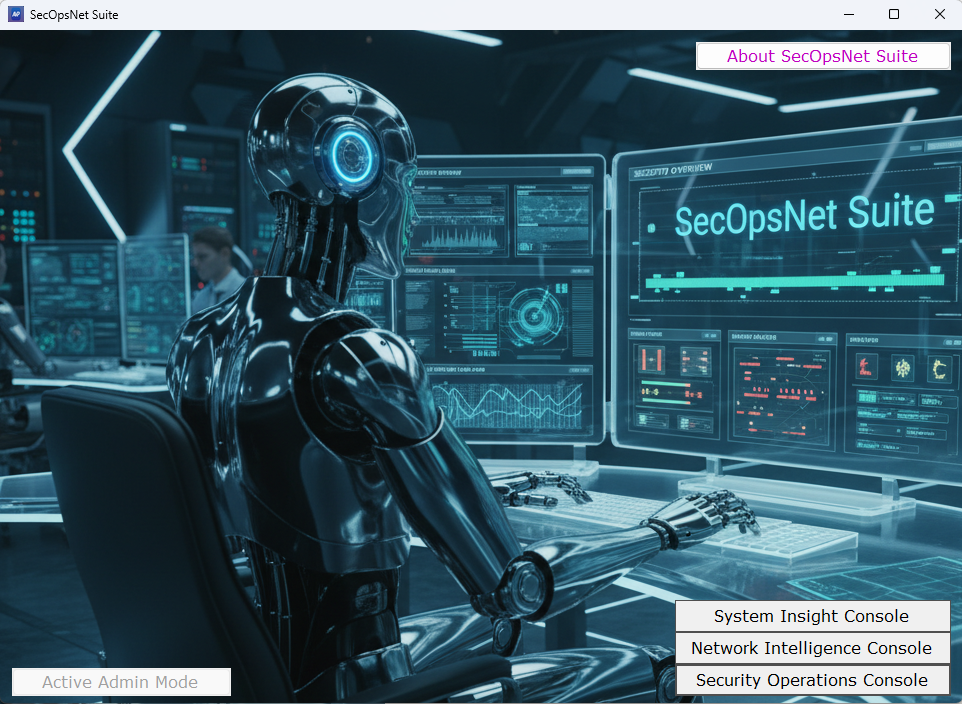
SecOpsNet Suite is a unified toolkit for system, network, and security operations. It provides detailed system insight, network visibility, and security event analysis in one interface. Designed for administrators who need fast diagnostics, clear telemetry, and practical troubleshooting tools, SecOpsNet Suite helps you understand what’s happening on your systems and networks without unnecessary complexity.
Disclaimer
SecOpsNet Suite is provided as‑is, with no warranty and no liability for any damage, disruption, or data loss resulting from its use.
You are fully responsible for ensuring that you only scan systems, devices, and networks you own or have explicit permission to analyze.
Use the application at your own risk.
- MD5: 8FBF5B452FFBB61A60F8EE6A191B492A
- SHA-1: 710608322E3B423CCB785F63D5E37FFB4004948C
- SHA-256: 4AB21463F47CCE24E050CBBE0EAE074C74F58EB2EF7C2C4E08FC84C6DC1FDCCC
PassphraseGenerator
PassphraseGenerator is a lightweight tool that can generate strong, memorable passphrases using random words, with optional number and symbol.
Download v1.0.0
MD5: 7F05FFE3B3AD1509A7EF5A3009095441
SHA-1: 228C19A169291794F6BB506388A7346990384795
SHA-256: 07FCDD8A9442690F62B3547EA6B723CF17172A6F894E9A7D787D50AC172D0AEC
PDFExtract
PDFExtract is a lightweight forensic tool that exposes the real contents of a PDF by extracting text, metadata, embedded files, JavaScript, and IOCs in a clear, analyst‑ready view.
Download v1.0.9
MD5: 5C95633AC97EA08DCFF6AD371769F562
SHA-1: 85FBDDA02A2B4FF0C8B8FC58F7327AEFEBD4CC32
SHA-256: 3B729D89F7544E5B6E7BE63A79331268CC0ABCE84033D5108AA1F4A4DDFADBB9
AdvancedPing
Lightweight, Real‑Time Multi‑Host Monitoring for Windows
AdvancedPing is a Windows Forms application built for technicians and engineers who need fast, continuous visibility into network availability. It goes beyond basic ping tools by supporting multi‑host monitoring, real‑time analytics, intelligent failure handling, and exportable results – all in a responsive, asynchronous design.
Download v1.0.1
MD5: 31FA41E6030480F94F1FCA3A5123D77F
SHA-1: F36DE1B98B0ECCD9D0EDF8B3D1693A86DEB48725
SHA-256: A46272F44C3CF09945E4BE3738221760E1E3E337B498F0013F5319A3F830D151
AdvancedPing is a diagnostic tool, but like any network utility, it must be used responsibly.
- Frequent or continuous pinging can generate noticeable traffic, especially when monitoring many hosts.
- Some firewalls, IDS/IPS systems, or network appliances may interpret repeated ICMP requests as suspicious.
- Monitoring or probing networks without authorization may violate organizational policies or legal requirements.
Always ensure you have permission to monitor any device or network
HostInfoSec
HostInfoSec gives IT pros a fast, unified way to see system details, check health, review security posture, diagnose Wi‑Fi and OS issues, and validate domain connectivity – all in one lightweight tool.
- MD5: 89515FF11F9F66DDCF1D7F2B6AFEA90C
- SHA-1: 886663670EE7D27F1655A8C1282CFCFF9235530B
- SHA-256: 2195E8609F91A2BFEAF1E5589810D2E31FE29F4204D41304B724622C99F127F3
Disclaimer: HostInfoSec is provided as a free utility by SysOpsLab for general diagnostic and informational purposes. It does not replace enterprise security tools, monitoring platforms, or professional auditing solutions. Results should be reviewed by qualified IT personnel, and all actions taken based on the tool’s output remain the responsibility of the user or organization.
HomeNetScanner
Scans your home network and instantly shows you what’s connected, what’s exposed, and what needs attention. Device discovery, port scanning, vulnerability checks, and clear security insights – all in one lightweight tool.
- MD5: 6632682DB06CF2FF18CD98A53F6C722F
- SHA-1: FA57CA0E747F537E15AF159F0948BF0B9BD83360
- SHA-256: 4EAAF8AF8B95DF93BC443073BF2263BEECFE3BFB33223D948C80F90CBA6A024F
Disclaimer: HomeNetScanner scans only your home local network. Results are informational and do not indicate a hack or compromise. Avoid scanning networks with medical or sensitive devices, as some equipment may react to network probes. Use ONLY on networks you own or have permission to scan. Provided as‑is with no liability for damage or disruption.